Interactive Storytelling: No-Code Event Toolkit
Children’s Museum of Pittsburgh sought to expand their offerings by introducing immersive storytelling events in their newly designed space, called the Museum Lab.
Overview
Challenge
There were no existing tools or systems specifically designed to host children’s events within the museum's space.
Goal
The goal was to research, strategize, and design a beta-version toolkit to help the Children’s Museum of Pittsburgh create and host interactive storytelling events for 50-100 people at a time.
Impact
Shipped a beta toolkit that took the Museum Lab from no pipeline to hosting its own interactive storytelling events.
Understand
Mapping Needs and Constraints
Before starting research process, it is essential to understand and define the constraints and limitations of the project.
Space & Tech Limitations
Understanding the physical space helped us ensure that the solution is functional and practical within the given constraints.

Tech
- Built-in speakers
- Projector setup
- HDMI connectivity
Space
- Echo issues
- No permanent props allowed
Stakeholders
Identifying the right people based on client objectives enable us to focus our research on their needs and make informed design decisions.

01. Museum Faculty
Event creator and storyteller

02. Audience Member
Children age 3+
Research
Exploring Staff Needs and Children's Engagement
Before designing a solution, I needed to understand both sides of the experience, the staff creating events and the children experiencing them, so any direction was grounded in real behavior, not assumptions.
Research Goals
Museum Faculty
- Identify the interactive events staff want to host
- Understand their frustrations and pain points
- Explore the existing event hosting pipeline
Audience Member
- Understand which storytelling methods children preferred when experiencing a story
- Observe how children engaged with different forms of interaction during storytelling activities
Research Methods & Result
Over two weeks, we visited a local elementary school to observe and talk with children directly, and interviewed museum faculty to understand the operational side of hosting events.
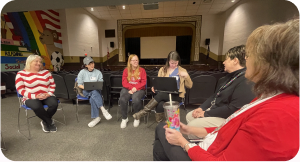
Event creator and storyteller
Which interactive elements do you think enhance the storytelling experience?
How strongly do you believe incorporating physical interaction enhances the storytelling experience?
1: Not important, 5: Extremely important
What challenges do you face when organizing interactive storytelling events?
“We don’t have any pipeline or template to follow within the Museum Lab space.”
“Incorporating interactive elements when we don’t know how to code and want to avoid expensive subscriptions.”
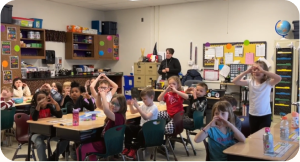
Children age 3+
How do you like to enjoy stories?
- Watching a show
- 45%
- Listening to a storyteller
- 35%
- Reading a book
- 20%
How would you like to interact with the story?
- Act it out
- 50%
- Make sounds
- 30%
- Draw
- 10%
- Play games
- 10%
What would make storytelling events even more fun for you?
“Be a part of the story!”
“Create our own adventures.”
Research Insights
Museum Faculty:
Event creator and storyteller
- There are no existing pipelines to guide museum faculty in the MuseumLab, making event organization more difficult.
- It’s challenging to integrate interactive elements due to limited coding knowledge and the desire to avoid costly subscriptions.
Audience Member:
Children age 3+
- It’s important to use storytelling methods that children enjoy to make the experience more fun and enjoyable.
- Allowing children to make decisions during the storytelling event enhances their engagement and involvement in the narrative.
Define
Workshop: Composition Box & Affinity maps
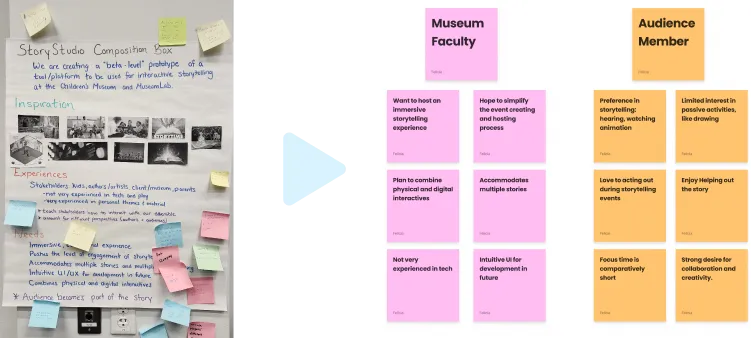
We analyzed interview results into composition box and affinity map through workshops. This helps us clearly visualize and prioritize key problem, ensuring we focus on the most impact solution during the problem definition stage
Stakeholders & Personas
Then, I created personas to better understand the diverse needs of each stakeholder. This helped us to ensure the design solutions were tailored to real user behaviors and pain points.
Museum Faculty: Event creator and storyteller
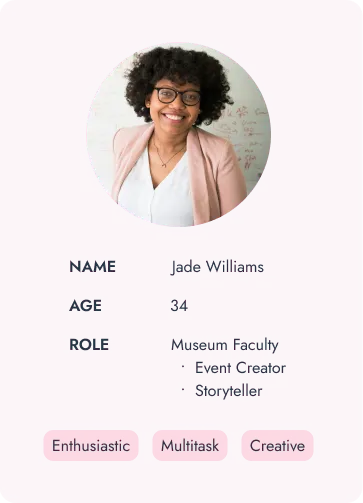
Goals
- Plan and create interactive storytelling content
- Execute storytelling event
- Hold audience’s attention
- Engage large group
Needs
- Adaptable for different books
- Easy-to-run program
- Various interactivity options
Challenges
- Limit technological knowledge
- Manage diverse audience
- Want to create engaging contents with limitations
Audience Member: Children age 3+
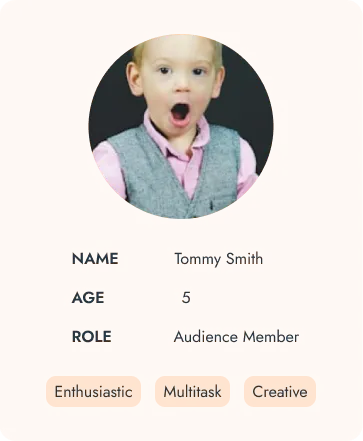
Goals
- Interact with storyteller
- Meaningfully contribute to the event
- Enjoy MuseumLab space with family
Needs
- Short Experience
- Engaging interactions
Challenges
- Resistant toward traditional reading
PROBLEM STATEMENT
How might we help museum staff create interactive stories?
With no existing storytelling creating and hosting tool for CMP, how might we create a user-friendly toolkit that uses interactive technology to design engaging storytelling experiences for children?
Design
Designing our approach and strategy
With a clear problem statement and client alignment, our team designed a content creation pipeline with four key toolkit components to support the process.
Event Creation Pipeline
- 01Get book
copyright - 02Plan storytelling
event - 03Prepare
assets - 04Create interactive
events - 05Export &
present
Key Toolkit Components
Storytelling guides
& tutorials
Support story planning
and asset preparation.
Digital tool
prototype
Create and sequence
interactions.
Physical interactive
prototype
Connect sensors and
physical responses.
Digital Tool: Event Creation Workflow
Focusing on museum staff as the primary users, I mapped their user flow for creating interactive storytelling events. This helped me:
- Consider the digital interface as a whole
- Align with the physical prototype team on sensor and input choices to design the right interface
The reason we shaped the experience this way:
01
Limitation
The Museum Lab space is only guaranteed to have a speaker and projector, so the majority of interactions depend on that equipment.
02
Target Audience's Interest
We chose the interaction type that interested children the most, and tried to fit it within the space we had.
03
Optional Add-On
For event creators who have the extra budget and time to build physical props, they can create more fun projects.
ITERATE
Refining the Experience
Then, we run usability tests between each major iteration to gather feedback and continuously refine the user experience
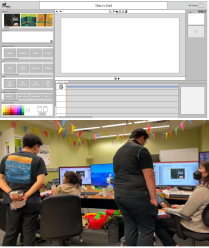
“Paper” prototype
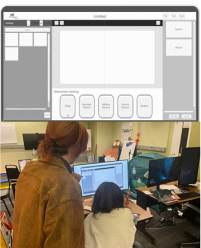
First prototype
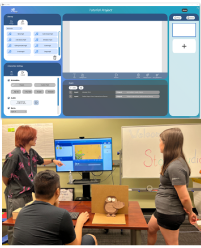
Final tool prototype
Pivot: Design Decision
Usability testing revealed that timeline-based setup was difficult to learn and slow to edit. I shifted the design to an event-trigger model.
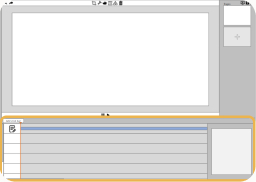
Before: Time frame logic
The original setup used a timeline like iMovie or Premiere.
- Unfamiliar time-frame concepts
- Long setup times
- Disorganized post-setup editing
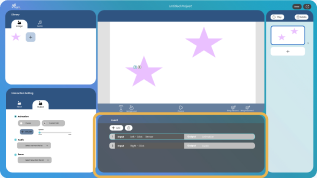
After: Event trigger logic
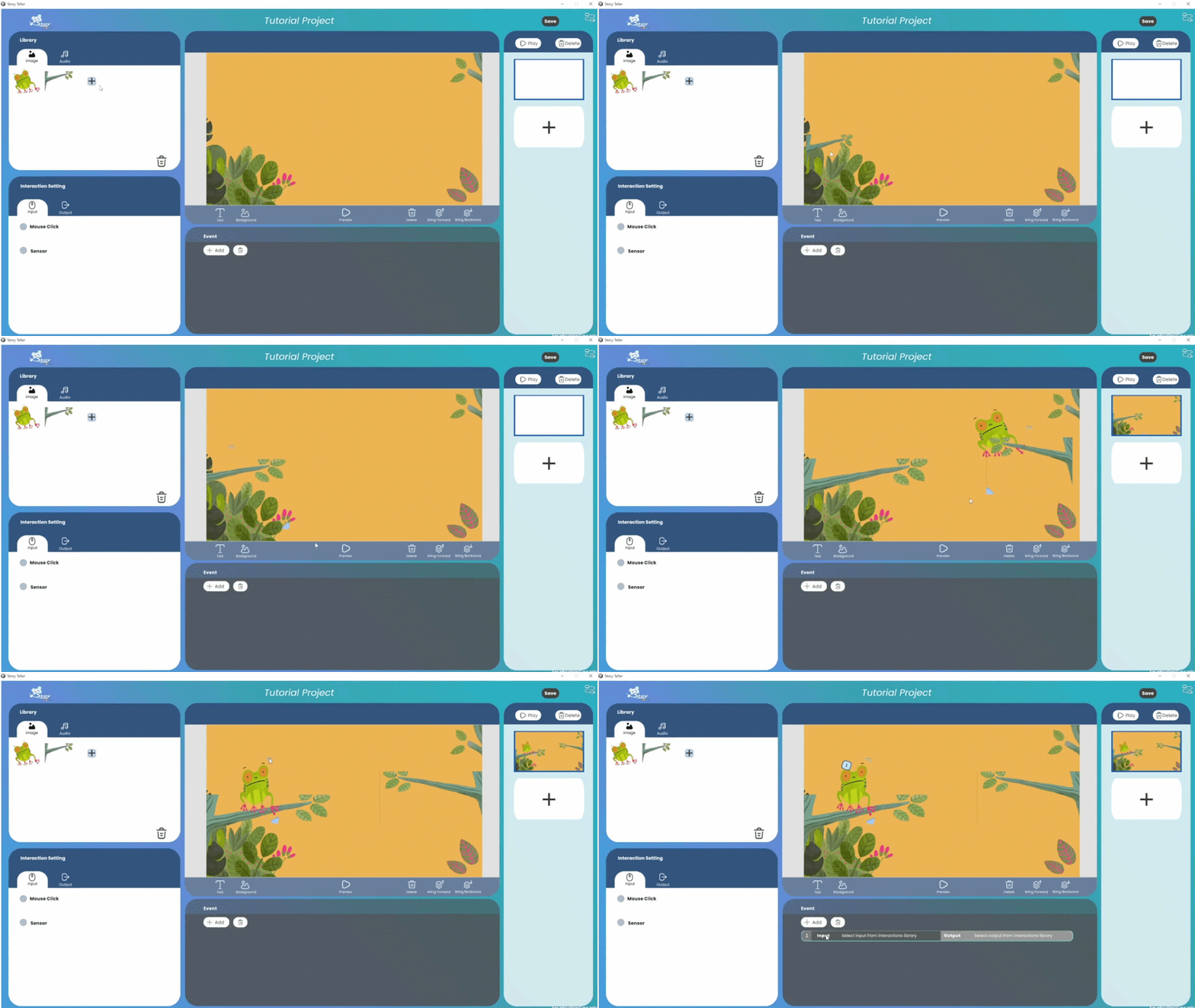
Staff build numbered events per page, using a familiar interaction model like PowerPoint.
- A shorter learning curve
- Separate inputs and outputs to reduce errors
- Easy-to-find events for faster editing
What it looks like
This is a low-fidelity example to explain how event trigger logic works. A numbered event connects an input to an output.
Arduino audio sensor
Servo movement
Design Concept: Visual
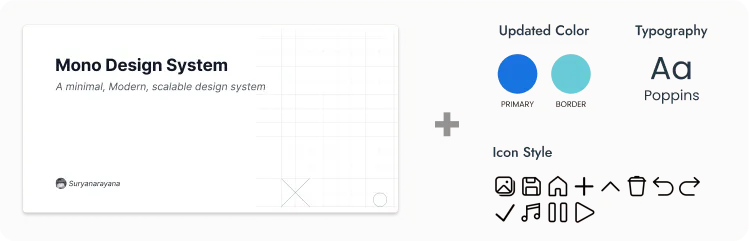
We used an existing base design system as our foundation, adjusting the main colors and Typography to meet our client's brand request.
FINAL DESIGN
Experience Walkthrough
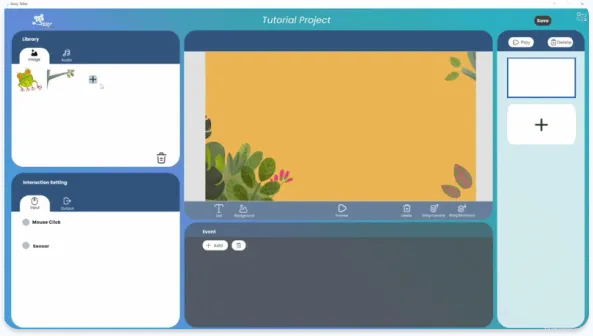
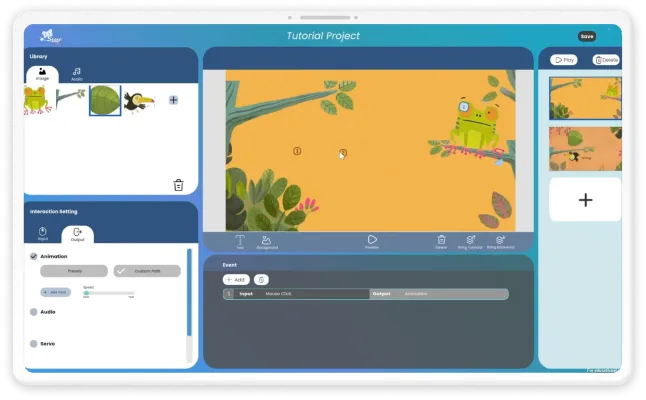
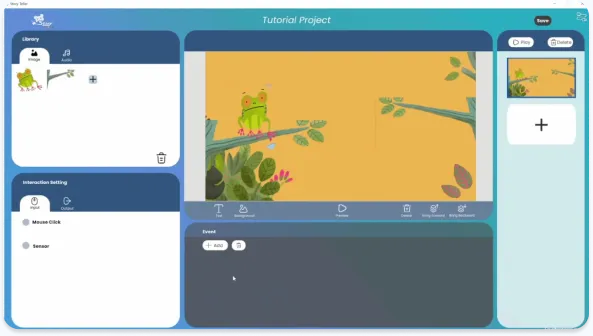
01 Creative Storytelling Tools for Hosting Story Telling Event
Craft and personalize narratives that children will enjoy using basic animations, text, and resizing tools, all in one platform, no extra software needed.
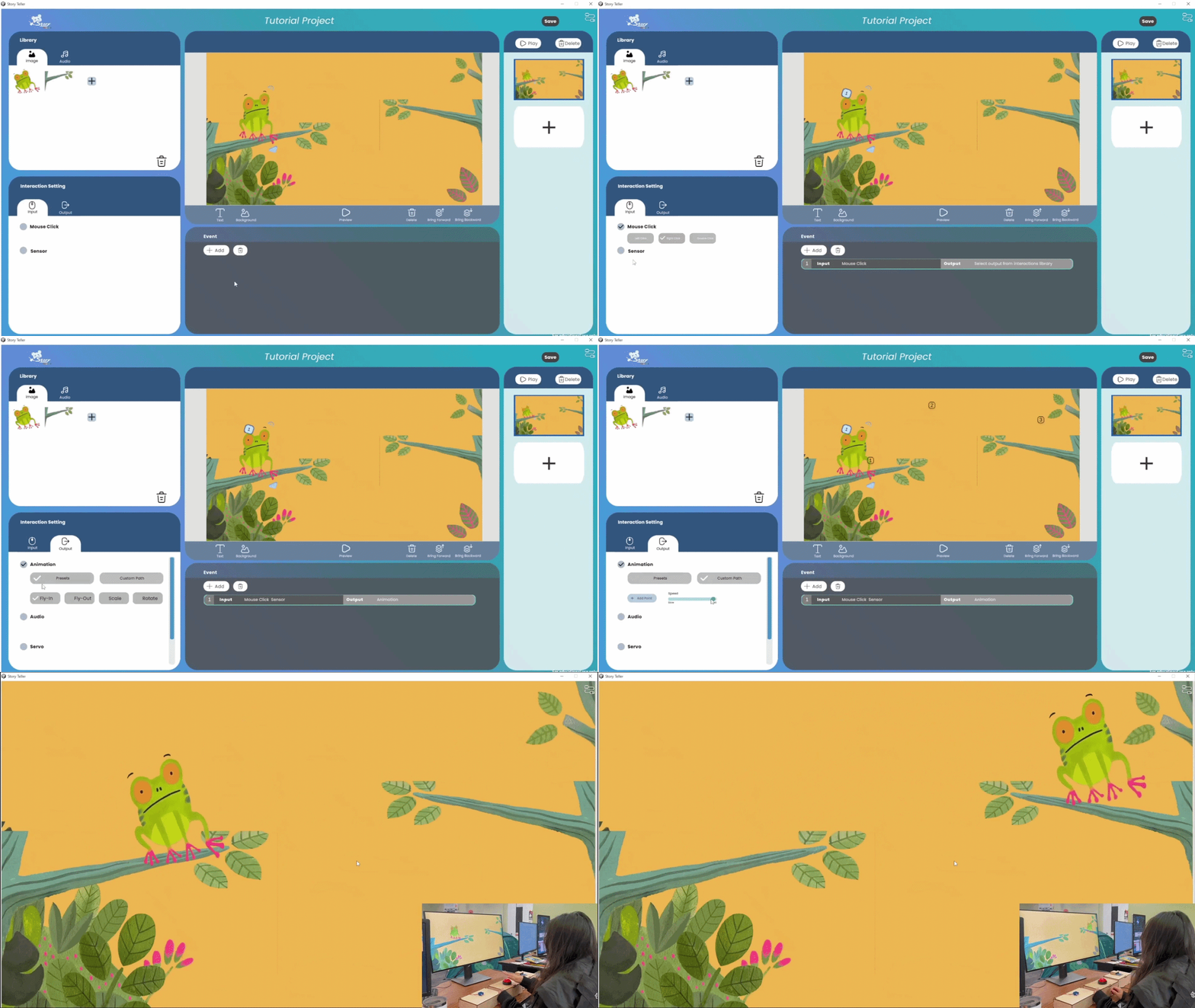
02 No-Code Solution for Physical Interaction Setup
Equip users to set up digital and physical interactions without needing to code.
03 Reusable Pipeline
Museum staff can use any story they hold the copyright to set up interactions at home, and then practice and present them in the Museum Lab.
IMPACT
From No Pipeline to a Beta-level Reusable Toolkit
The toolkit gave the Children's Museum of Pittsburgh a repeatable way to plan and run interactive storytelling events, something the Museum Lab never had before.
0 → 1
From no existing pipeline to a beta-level no-code toolkit built for the museum's space.
Over 81%
of event creators learned to set up a storytelling event within 5 minutes of the tutorial.
93%
of the children who tried the storytelling event created by the tool responded positively.
What I’d learned from this project

How to communicate with a client
Working with museum staff meant translating between their operational reality and our design process. I learned to ask the right questions early, rather than assume their goals matched our first instincts.

Understand the limitation early on
The constraints of the real location shaped a lot of our decisions. We chose a PowerPoint-style experience because the projector was the one thing guaranteed to be in the room every time.